
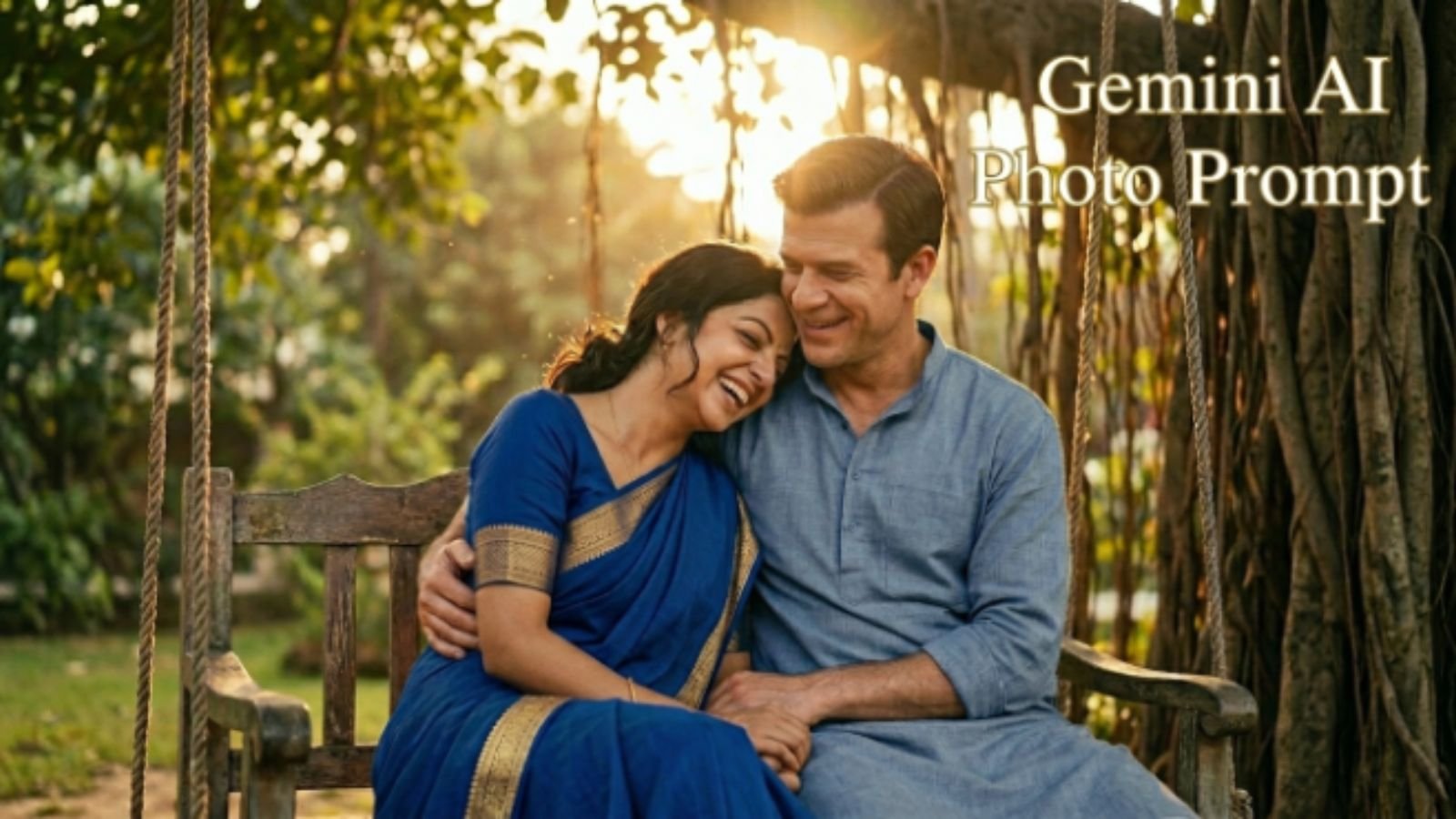
You finally got a saree photo you love the drape, the color, the moment but the lighting ruined it, or your phone camera just didn’t do the fabric justice. You’re not alone. Most of us have a saree picture sitting in our gallery that deserves so much better than it got.
That’s exactly where a good gemini ai photo prompt copy paste saree look comes in handy. This guide hands you ready-to-use, copy-paste prompts no guesswork, no editing skills required. Each prompt for gemini ai saree look copy is built to turn an ordinary saree photo into something you’d actually want to post. Let’s get into it.
Gemini AI Saree Prompt: 20+ Viral Copy-Paste Prompts
A great gemini ai photo prompt copy paste saree look can take a regular selfie and give it that cinematic edit, magazine-style finish people stop scrolling for. Here are five prompts to start with.
“Transform this photo into a high-fashion editorial saree portrait. Keep my face, expression, and identity exactly the same. Enhance the saree’s zari work so every gold thread catches the light. Add soft golden-hour lighting from the left side, with gentle shadows that sculpt the face naturally. Smooth the background into a warm, blurred bokeh of muted gold and maroon tones. Adjust the drape so the pallu falls elegantly over one shoulder. Keep the skin tone natural and avoid an overly airbrushed or plastic look. The final image should feel like a real photo taken by a professional fashion photographer for a glossy magazine cover.”
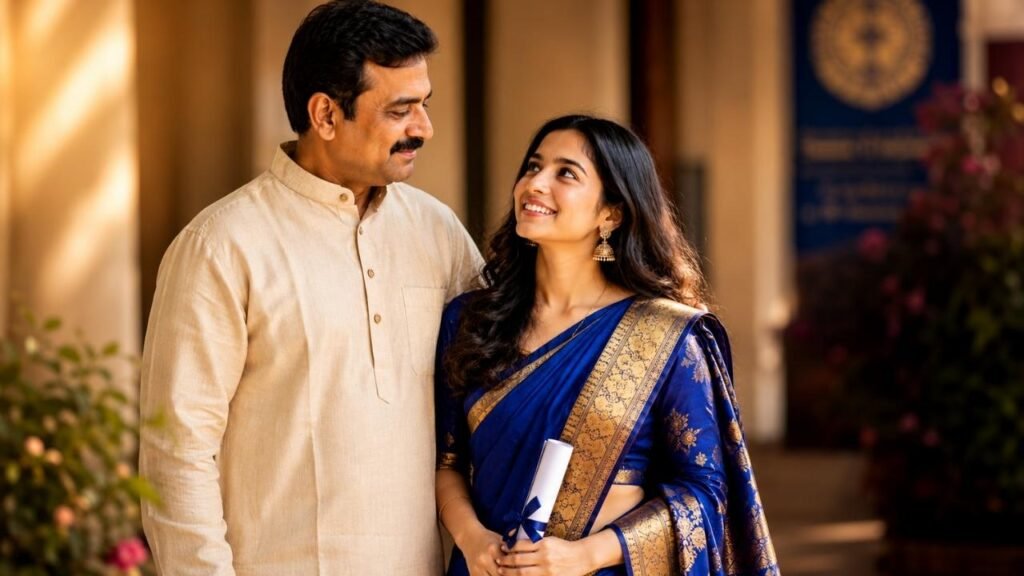
“Give this saree photo a vintage Bollywood film-still look from the 1990s. Add warm sepia undertones, soft film grain, and a slightly hazy glow around the edges. Keep my facial features unchanged. Style the hair with loose waves and a single flower tucked behind one ear. Brighten the saree’s color just enough to look rich without looking edited. Place me in front of a vintage car or an old colonial-style building in soft daylight. The mood should feel romantic, nostalgic, and cinematic, like a frame pulled straight from a classic Indian film reel.”
“Recreate this saree photo as a royal portrait, inspired by traditional Indian palace photography. Add a backdrop of intricately carved sandstone pillars and warm amber lighting. Enhance the saree’s embroidery detail so it looks hand-stitched and luxurious. Add traditional gold jewelry a maang tikka, jhumkas, and a layered necklace if not already present, matching the saree’s color palette. Keep the pose graceful, with one hand gently holding the pallu. The skin tone should stay natural, the lighting warm and directional, and the overall feel should be regal, elegant, and timeless.”
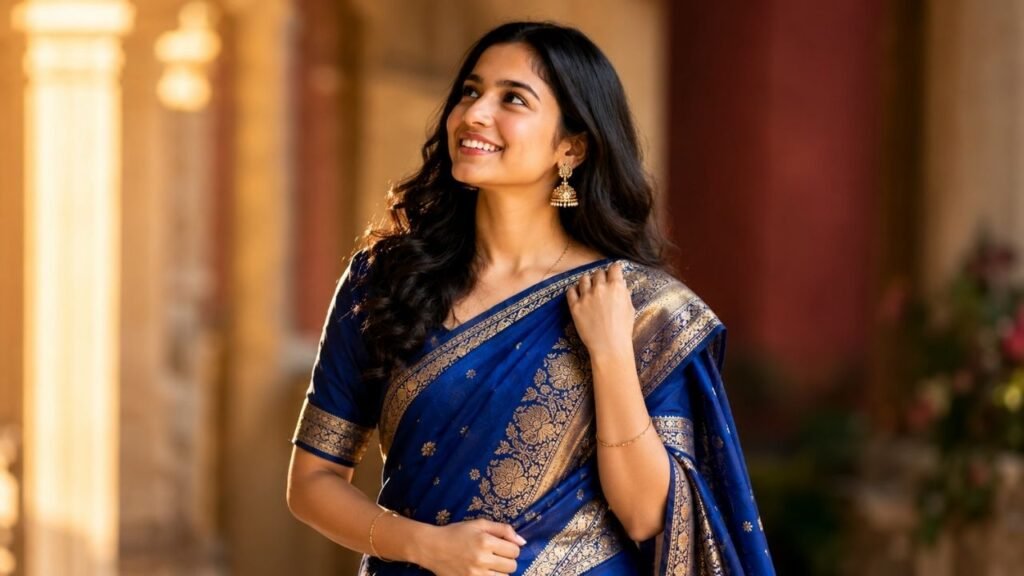
“Turn this saree photo into a dreamy outdoor portrait shot during golden hour. Add warm, low-angle sunlight streaming through trees in the background, creating a soft lens flare. Keep my face and proportions unchanged. Let the saree’s fabric texture, especially the pallu, flow gently as if caught in a light breeze. Blur the background into a soft mix of green and gold tones. Adjust skin tones to look sun-kissed but natural, not overexposed. The final result should feel candid, joyful, and effortlessly beautiful, like a moment captured during an evening walk.”
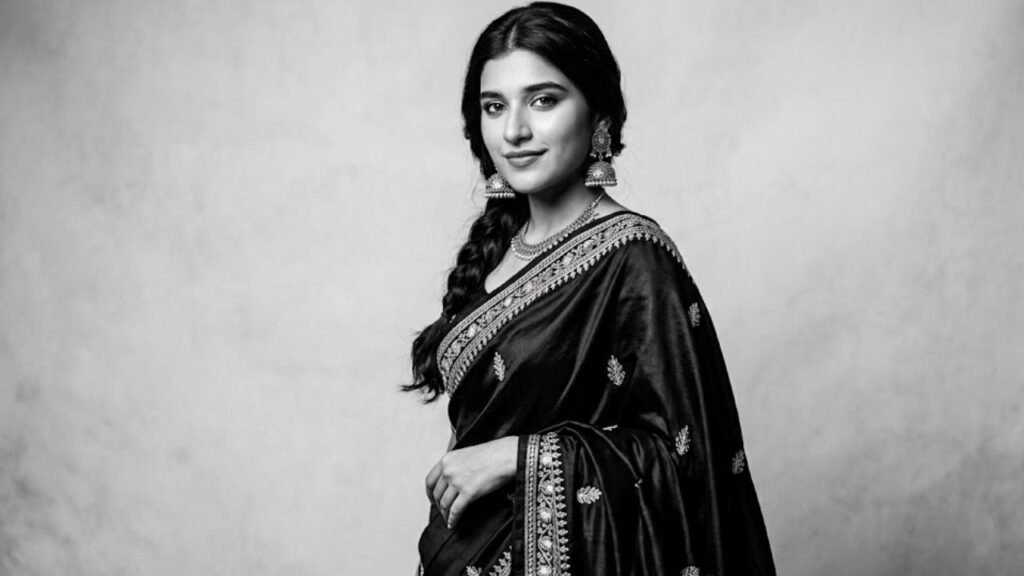
“Convert this saree photo into a modern monochrome portrait with high editorial contrast. Keep my identity and expression untouched. Render the saree in rich black and white, emphasizing the saree drape and fabric folds through dramatic shadow and light. Add a clean studio-style backdrop in a neutral gray tone. Sharpen the jewelry details so they stand out against the contrast. Keep the pose confident and slightly angled. The final image should feel bold, artistic, and gallery-worthy, like a portrait shot for a high-end fashion publication.”
Gemini ai photo prompt copy paste saree look
This section gives you a flexible gemini ai photo prompt copy paste saree look you can apply to almost any selfie, no matter the saree drape or occasion.
“Take this everyday saree selfie and turn it into a polished, professional-looking photo. Keep my face, body shape, and saree exactly as they are no changes to identity. Even out the lighting across the entire frame so there are no harsh shadows or blown-out highlights. Correct the saree’s color so it looks true to life and vibrant, not washed out. Smooth the background slightly without making it look artificial. Add a subtle, natural-looking shine to the fabric to highlight its texture. The final photo should look like it was taken with a proper camera setup, not a phone in a rush.”
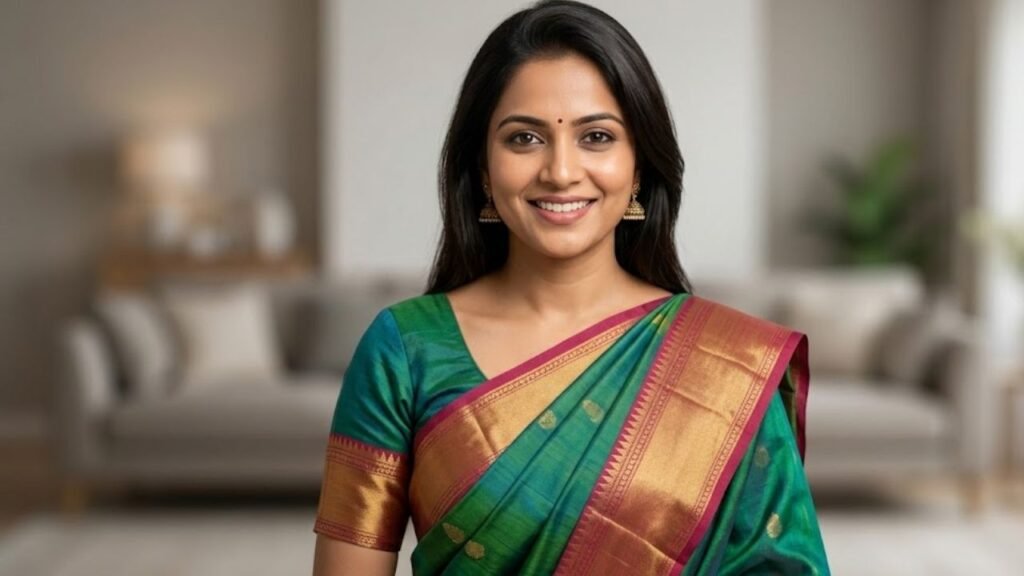
“Enhance this saree photo for social media by making the colors pop without looking over-edited. Keep my facial structure and expression unchanged. Boost the saturation of the saree slightly, especially if it’s a bold color like red, royal blue, or emerald green. Sharpen the blouse design detail so embroidery or patterns are clearly visible. Add gentle ambient lighting that flatters the skin tone. Keep the background simple and uncluttered, ideally blurred just enough to keep focus on the outfit. The final image should look clean, vibrant, and Instagram-ready within seconds.”
“Edit this saree photo to look like it was professionally styled for a studio shoot. Keep my identity, pose, and saree completely unchanged. Add soft box-style studio lighting from two angles to eliminate flat shadows. Adjust the background to a clean, solid pastel tone that complements the saree’s color. Enhance fabric texture so silk or cotton looks tactile and realistic. Keep makeup natural-looking, avoiding any artificial smoothing of skin texture. The end result should look like a planned, professional portrait rather than a quick phone photo.”
“Transform this saree photo into a warm, homely portrait that still looks elevated. Keep my face and saree unchanged. Add a softly lit indoor background, like a cozy living room with warm lamp lighting. Adjust the white balance so skin tones look natural and warm, not yellow or orange. Slightly enhance the saree’s color richness without making it look unrealistic. Keep the pose relaxed and candid, like a real moment rather than a posed shot. The result should feel intimate, warm, and genuinely beautiful.”
“Refine this saree photo to correct common phone-camera issues. Keep identity and saree details exactly as captured. Fix any color cast that makes the saree look duller or more orange than it actually is. Reduce noise or graininess if the photo was taken in low light. Sharpen the image slightly so jewelry and fabric details are crisp. Balance the exposure so neither the face nor the saree is too dark or too bright. The final photo should look clean, accurate, and naturally beautiful.”
Gemini AI Saree Prompt for Wedding Photos
Wedding photos rarely turn out perfectly on the first try, and a wedding-focused gemini ai photo prompt copy paste saree look can fix that fast.
- Mixed lighting at weddings often distorts saree color
- Busy backgrounds pull focus away from the bride or guest
- Jewelry detail gets lost in low venue lighting
- Group shots blur individual saree details
- Flash photography flattens the fabric’s natural texture
- Candid wedding shots need gentle, not heavy, editing
“Enhance this wedding saree photo taken in mixed indoor lighting. Keep my face, pose, and saree completely unchanged. Correct the color temperature so the saree looks true to its real shade, not tinted orange or blue from venue lighting. Even out harsh shadows caused by overhead lights or flash. Sharpen the jewelry, including the necklace and earrings, so the detail isn’t lost. Smooth the background slightly to reduce visual clutter from other guests or decorations. The final image should look warm, celebratory, and clearly shot at a wedding, without looking artificially altered.”
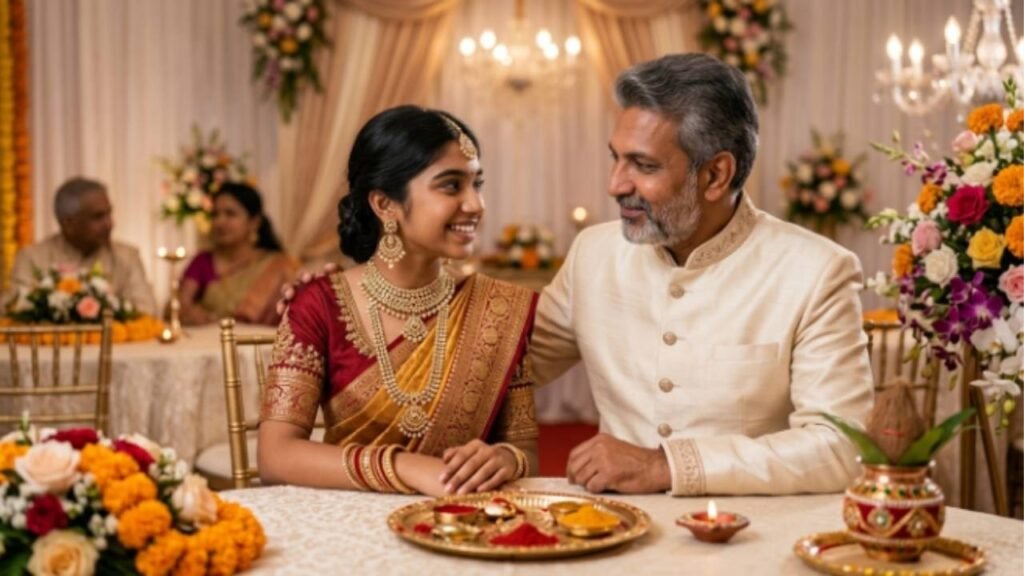
“Edit this wedding saree photo to look like a professional event photographer captured it. Keep identity and outfit unchanged. Add soft, flattering light across the face to counter any flash-induced flatness. Enhance the bridal saree fabric so embroidery and zari catch the light naturally. Blur background guests and décor into a soft, tasteful bokeh. Keep skin tones warm and natural, avoiding an overly polished or plastic finish. The mood should feel festive, elegant, and true to a real wedding celebration.”
“Transform this wedding-day saree photo into a soft, romantic portrait. Keep my face and the saree exactly as worn. Add gentle warm lighting reminiscent of string lights or candlelight. Smooth out any motion blur from a quick candid capture. Enhance the richness of the saree’s color, especially if it’s deep red or maroon, a classic wedding shade. Add a subtle glow around the edges for a dreamy finish. The result should feel intimate and emotionally warm, like a cherished wedding memory frozen in time.”
“Refine this group wedding photo so my saree stands out clearly. Keep everyone’s identity unchanged. Sharpen the focus specifically on my saree’s fabric and drape without altering anyone else. Correct uneven lighting that may have washed out colors on one side of the group. Enhance jewelry detail subtly. Keep the overall warmth of the original wedding atmosphere intact. The final photo should highlight the saree beautifully while keeping the group photo natural and true to the moment.”
“Polish this saree photo from a wedding reception for sharing later. Keep my identity and outfit untouched. Reduce any graininess from low reception lighting. Balance warm and cool tones so the photo doesn’t look too yellow or too blue. Add a gentle highlight to the saree’s border and pallu detail. Keep the background’s festive elements, like lights or flowers, visible but softly blurred. The final result should feel celebratory, polished, and ready to keep as a lasting memory.”
Prompt for gemini ai saree look copy
If you want a fast, no-fuss prompt for gemini ai saree look copy, these five work on almost any photo without extra customization.
“Make this saree photo look naturally beautiful with minimal but effective changes. Keep my identity exactly the same. Even out skin tone, correct saree color accuracy, and improve overall lighting balance. Do not add heavy filters or change the background dramatically. The goal is a clean, realistic enhancement that simply makes the existing photo look its best version, nothing more.”
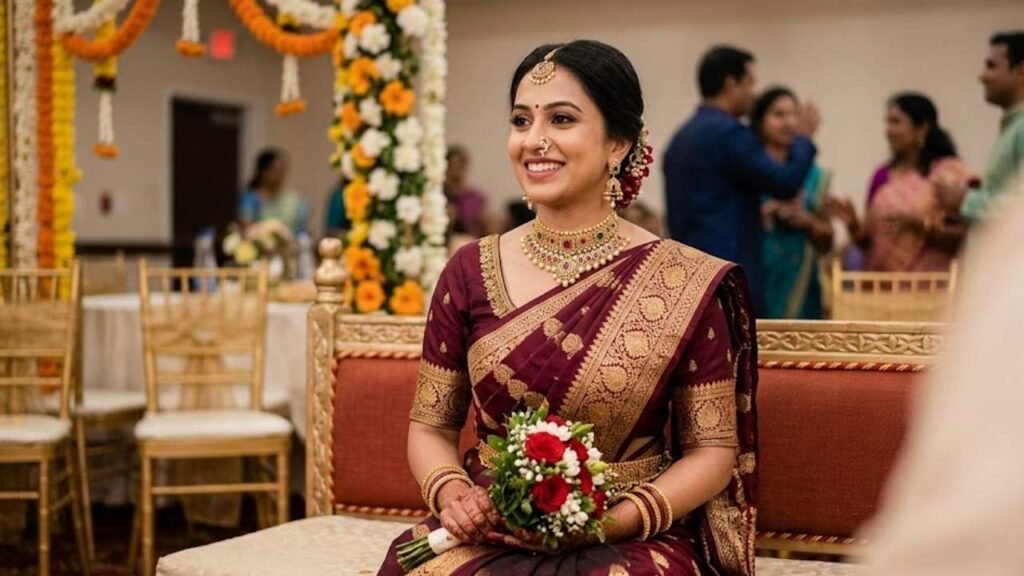
“Apply a soft, natural glow to this saree photo without altering my face or the saree’s design. Brighten the overall exposure slightly. Add gentle warmth to the lighting. Sharpen fine details like fabric texture and jewelry. Keep the background as it is, just slightly smoothed for a cleaner look. This should feel like a quick, effective touch-up, not a full transformation.”
“Improve this saree photo for everyday sharing. Correct any color imbalance in the saree, especially if it looks duller than it actually is. Add light, even brightness across the face and outfit. Keep the pose and setting unchanged. Avoid heavy retouching of skin or facial features. The final image should look like a slightly better version of the original, true to life.”
“Clean up this saree photo by fixing common issues: uneven lighting, slight blur, and dull color. Keep identity, saree, and pose unchanged. Sharpen the image just enough to look crisp without appearing artificial. Balance warm and cool tones for natural-looking skin. The result should be simple, quick, and effective for casual sharing.”
“Enhance this saree photo with a focus on realism over drama. Correct lighting so it looks like natural daylight or soft indoor light, whichever fits the original setting. Keep the saree’s pattern and color true to the source photo, just slightly more vivid. Avoid changing my facial features or body shape. The outcome should look like a well-shot, unedited photo.”
What Is the Best Gemini AI Saree Prompt for Beginners?
If you’ve never tried AI photo editing before, start simple. The best gemini ai photo prompt copy paste saree look for beginners avoids complicated instructions and focuses on one change at a time.
- Start with lighting fixes before color changes
- Keep one instruction per attempt for cleaner results
- Always specify “keep my face unchanged” first
- Avoid combining five edits in a single prompt
- Test on a clear, well-lit photo first
- Save your favorite prompt wording for reuse later
- Read the result before adding more instructions
“Brighten this saree photo and even out the lighting. Keep my face, body, and saree exactly as they are no other changes. This is a simple lighting correction only, nothing dramatic.”
“Correct the color of my saree in this photo so it looks closer to its real shade. Keep everything else, including my face and background, unchanged. Focus only on accurate color correction.”
“Sharpen this saree photo so the fabric and jewelry details look clearer. Do not change my face, pose, or the background. This should be a subtle sharpness improvement only.”
“Smooth out the background of this saree photo slightly so I stand out more. Keep my identity, saree, and pose completely unchanged. Only adjust the background blur.”
“Add soft, natural light to this saree photo as if it was taken near a window. Keep my face and saree exactly as captured. This is a single lighting-style change only.”
Prompt for gemini ai saree look couple
A couple-style prompt for gemini ai saree look copy works best when you specify both outfits clearly so neither person gets edited inconsistently.
“Enhance this couple photo, where one person is wearing a saree and the other a kurta or sherwani. Keep both faces and identities completely unchanged. Balance the lighting evenly across both people so neither looks brighter or darker than the other. Correct the saree’s color so it looks rich and accurate, and do the same for the partner’s outfit color. Smooth the background into a soft, complementary blur. Keep both poses natural, as if standing comfortably together. The final image should feel warm, coordinated, and naturally photographed.”
“Transform this couple saree photo into a cinematic golden-hour portrait. Keep both faces and outfits unchanged. Add warm, low sunlight from one side, casting a soft glow on both people. Enhance the saree drape so it flows naturally, as if caught in a light breeze. Blur the background into warm amber and green tones. Keep the pose relaxed, perhaps hands gently linked. The mood should feel romantic, candid, and effortlessly elegant, like a moment from an outdoor evening shoot.”
“Edit this couple photo for a festive occasion, with one person in a saree and the other in ethnic wear. Keep identities unchanged. Add festive ambient lighting, like warm string lights, in the background. Enhance the richness of both outfit colors without making them look unrealistic. Sharpen jewelry and fabric details. Keep the background softly blurred to maintain focus on the couple. The final result should feel celebratory, warm, and true to a real festive setting.”
“Refine this couple saree photo taken indoors under artificial lighting. Keep both faces and outfits exactly as captured. Correct any yellow or orange tint from indoor bulbs. Even out shadows across both people’s faces. Enhance the saree’s pattern and color richness subtly. Keep the background simple and uncluttered. The final photo should look naturally lit, warm, and free of harsh lighting issues.”
“Make this couple photo look professionally shot for an anniversary or special occasion. Keep both identities unchanged. Add soft studio-style lighting that flatters both people equally. Enhance the saree’s fabric texture and the partner’s outfit detail. Adjust the background to a clean, elegant tone that complements both outfits. Keep poses natural and warm. The result should look polished, intentional, and worth framing.”
Gemini AI Saree Prompt for Traditional Look
A traditional-style gemini ai photo prompt copy paste saree look focuses on classic elements like temple jewelry, rich color, and timeless styling.
“Transform this saree photo into a traditional South Indian portrait. Keep my face and identity unchanged. Enhance the saree’s color to look rich and deep, especially if it’s a Kanjivaram silk with gold zari. Add traditional temple jewelry a long necklace, jhumkas, and a maang tikka if not already visible, matched to the saree’s tone. Set the background to resemble a traditional courtyard with warm, golden lighting. Keep the pose graceful and composed. The final image should feel rooted in tradition, elegant, and timeless.”
“Edit this saree photo to highlight traditional blouse design and embroidery work. Keep identity unchanged. Sharpen the embroidery so every thread and pattern is clearly visible. Add soft, warm lighting that highlights texture without flattening it. Keep the background simple, ideally a muted, solid tone that doesn’t distract from the outfit. Enhance skin tone naturally, avoiding any artificial smoothing. The result should celebrate the craftsmanship of the outfit in full detail.”
“Recreate this saree photo in a classic, heritage-style aesthetic. Keep my face and pose unchanged. Add a backdrop resembling an old haveli or traditional courtyard with warm afternoon light. Enhance the saree’s natural texture, whether silk, cotton, or handloom, so it looks tactile and authentic. Add traditional gold jewelry matched to the outfit if missing. Keep the overall tone warm, nostalgic, and culturally rich, like a portrait passed down through generations.”
“Enhance this saree photo with a focus on traditional makeup and styling. Keep identity unchanged. Add a subtle bindi and traditional eye makeup if not already present, matching the saree’s color palette. Adjust hair styling to a classic braid or bun with flowers. Keep lighting warm and soft, like late afternoon sun. The final image should feel authentically traditional, elegant, and respectful of cultural styling.”
“Transform this saree photo into a temple-setting portrait. Keep my face and saree exactly as worn. Add a backdrop of traditional stone architecture with warm, diffused lighting. Enhance jewelry detail so it catches the light naturally. Keep the pose serene and composed, hands gently folded or holding the pallu. The mood should feel spiritual, graceful, and deeply traditional.”
Saree prompt for gemini
Choosing the right gemini ai photo prompt copy paste saree look often comes down to fabric type. This table breaks down what works best for each.
| Saree Fabric | Best Prompt Focus | Lighting Style |
| Silk (Kanjivaram, Banarasi) | Enhance zari work and texture | Warm, golden light |
| Georgette or chiffon | Highlight flowing saree drape | Soft, airy daylight |
| Cotton handloom | Natural weave and everyday elegance | Bright, natural daylight |
| Designer embellished | Sparkle and embroidery detail | Studio-style with dark backdrop |
| Linen or tussar | Texture and muted tone richness | Soft, diffused window light |
“Enhance this silk saree photo by bringing out the natural sheen of the fabric. Keep my face and identity unchanged. Add warm, directional lighting that catches the silk’s natural shine without overexposing it. Sharpen the gold zari border so every detail is crisp. Keep the background simple and softly blurred. The final image should look rich, luxurious, and true to the fabric’s real texture.”
“Edit this georgette saree photo to emphasize its lightweight, flowing quality. Keep identity unchanged. Add a gentle sense of movement to the pallu, as if caught in a soft breeze. Use airy, bright daylight tones throughout. Keep the background open and softly lit. The result should feel effortless, breezy, and elegant.”
“Enhance this cotton handloom saree photo for a natural, everyday elegant look. Keep my face and pose unchanged. Use bright, natural daylight to highlight the weave’s texture. Avoid heavy color enhancement; keep tones true to life. Keep the background simple, like an outdoor or home setting. The final photo should feel warm, genuine, and unpretentious.”
“Transform this designer embellished saree photo into a glamorous portrait. Keep identity unchanged. Add a dark, contrasting background to make the sequins and embroidery pop. Use focused studio-style lighting to catch every sparkle. Sharpen embellishment detail without overexposing the fabric. The result should feel bold, glamorous, and editorial.”
“Enhance this tussar or linen saree photo to highlight its muted, textured beauty. Keep my face and saree unchanged. Use soft, diffused lighting, like light through a window. Keep colors natural and slightly warm. Avoid making the fabric look glossy or artificial. The final image should feel calm, earthy, and quietly elegant.”
What Are the Best Gemini AI Prompts for Saree Photos in 2026?
Trends shift every year, and the best gemini ai photo prompt copy paste saree look ideas for 2026 lean toward natural realism over heavy filters.
“Transform this saree photo using a 2026 natural-realism trend. Keep my face and identity unchanged. Focus on true-to-life skin texture, avoiding the overly smooth, plastic look common in older AI edits. Correct lighting and saree color accurately. Keep the background softly blurred but realistic, not artificial. The final image should look like a high-quality, unedited photo rather than an obviously AI-generated one.”
“Edit this saree photo in a soft, muted color-grading style that’s trending this year. Keep identity unchanged. Slightly desaturate the background while keeping the saree’s color rich and true. Add a gentle film-like grain for texture. Keep lighting warm but not overly golden. The result should feel modern, editorial, and intentionally understated.”
“Enhance this saree photo with a focus on candid realism rather than posed perfection. Keep my face and saree unchanged. Add natural, slightly imperfect lighting, like a real moment caught mid-conversation. Avoid symmetrical, studio-style polish. Keep skin texture visible and authentic. The final photo should feel like a genuine candid, not a staged shoot.”
“Transform this saree photo into a clean, minimalist portrait style popular this year. Keep identity unchanged. Use a single soft light source and a plain, neutral background. Keep color grading subtle and true to life. Avoid heavy effects or dramatic filters. The result should feel calm, confident, and quietly stylish.”
“Edit this saree photo using a warm-toned, nostalgic color grade that’s popular in 2026 portraits. Keep my face and saree exactly as captured. Add soft warmth across the entire image without shifting actual saree color. Keep skin tones natural. The final image should feel timeless yet current, warm without looking dated.”
Red saree prompt for gemini text
Red is one of the hardest colors for phone cameras to capture accurately, so a dedicated red saree prompt for gemini is worth having on hand.
- Red often appears too orange under indoor lighting
- Flash photography can wash out deep maroon shades
- Gold jewelry against red needs careful highlight balance
- Skin tone correction matters more with bold red
- Background clutter competes heavily with red’s intensity
- Shadows can dull red’s natural richness fast
“Correct the color of this red saree so it looks deep, rich, and true to life. Keep my face and identity unchanged. Fix any orange or pink tint caused by indoor lighting or flash. Add warm, even lighting that enhances the red without overexposing it. Sharpen gold jewelry details so they stand out against the bold color. Keep the background softly blurred in complementary muted tones. The final image should look vibrant, accurate, and striking.”
“Enhance this red saree photo for a bridal or festive look. Keep identity unchanged. Deepen the red tone slightly for a more dramatic, rich finish. Add soft golden-hour lighting to complement the warm color palette. Sharpen embroidery and zari detail on the saree’s border. Keep skin tone warm and natural. The result should feel celebratory, bold, and beautifully saturated.”
“Edit this red saree photo taken in low light. Keep my face and saree unchanged. Brighten the overall exposure while preserving the red’s natural depth. Reduce graininess from low-light shooting. Correct any color cast that makes the red look muddy or brownish. Keep the background simple and softly lit. The final photo should look clear, accurate, and rich in color.”
“Transform this red saree photo into an editorial-style portrait. Keep identity unchanged. Use a contrasting dark or neutral background to make the red pop dramatically. Add focused, directional lighting from one side. Sharpen fabric texture and jewelry detail. Keep the pose confident and composed. The result should feel bold, fashion-forward, and visually striking.”
“Enhance this red saree photo for outdoor daylight conditions. Keep my face and outfit unchanged. Balance natural sunlight so the red doesn’t appear washed out or overly saturated. Keep background greenery or architecture visible but softly blurred. Sharpen fine fabric details. The final image should look naturally vibrant, sunlit, and true to the saree’s real shade.”
How Do You Write a Gemini AI Saree Prompt That Looks Realistic?
Realism comes down to specificity. The clearer your gemini ai photo prompt copy paste saree look instructions, the less likely Gemini is to over-edit your photo.
| Prompt Element | Why It Matters | What to Include |
| Identity instruction | Prevents face changes | “Keep my face exactly unchanged” |
| Lighting direction | Avoids flat or fake light | Specify source: window, golden hour, studio |
| Color correction | Stops oversaturation | Name the saree’s real color |
| Background detail | Prevents distracting edits | Describe blur level and setting |
| Texture focus | Keeps fabric authentic | Mention silk, cotton, or georgette specifically |
“Write this saree photo edit with maximum realism in mind. Keep my face, body proportions, and saree pattern exactly as they are in the original photo. Specify natural window lighting coming from the left. Correct the saree’s color only if it appears inaccurate, not for dramatic effect. Keep the background recognizable but softly blurred. Avoid adding texture, jewelry, or styling elements that weren’t in the original photo. The result should look like an improved version of the real photo, not a reimagined one.”
“Enhance this saree photo while strictly preserving realism. Keep all facial features, skin texture, and saree details unchanged. Use soft, even lighting without harsh shadows or unnatural glow. Keep colors accurate to the original, only correcting obvious lighting errors. Avoid smoothing skin beyond natural texture. The final image should pass as an unedited, well-lit photo.”
“Edit this saree photo for a natural, true-to-life finish. Keep identity, pose, and outfit detail unchanged. Specify exact lighting conditions, like overcast daylight or indoor lamp light, instead of vague terms. Correct only genuine color or exposure issues. Avoid stylistic filters. The result should look authentic and minimally altered.”
“Refine this saree photo with a focus on accuracy over aesthetics. Keep my face and saree completely unchanged. Fix only technical issues: poor lighting, color inaccuracy, or slight blur. Do not add background elements, jewelry, or styling that wasn’t present. Keep skin tone natural and unsmoothed. The final photo should look genuinely realistic.”
“Enhance this saree photo by specifying every detail clearly. Keep identity unchanged. State the exact saree color, the lighting source, and the background setting precisely. Avoid generic instructions like ‘make it look better.’ Specific, detailed prompts produce more realistic, predictable results than vague ones.”
Gemini AI Saree Prompt for Festive Occasions
Festive photos need warmth and energy. A festive-focused gemini ai photo prompt copy paste saree look should reflect celebration without losing realism.
“Transform this saree photo into a Diwali-style festive portrait. Keep my face and saree unchanged. Add warm, glowing lighting reminiscent of diyas and string lights in the background. Enhance the saree’s color richness, especially gold or warm tones, to match the festive mood. Soften the background into a warm bokeh of lights. Keep the pose joyful and natural. The final image should feel celebratory, warm, and full of festive energy.”
“Enhance this saree photo for a Navratri or festive dance setting. Keep identity unchanged. Add vibrant, warm ambient lighting that matches an energetic festive atmosphere. Sharpen jewelry and saree embroidery so they catch the light. Keep the background softly blurred with hints of festive decoration. The result should feel lively, colorful, and true to the celebration.”
“Edit this saree photo for a festive family gathering. Keep my face and outfit unchanged. Add warm, golden indoor lighting typical of festive home settings. Correct any color inaccuracy from mixed lighting sources. Keep the background warm and softly blurred. The final photo should feel cozy, celebratory, and emotionally warm.”
“Transform this saree photo into a festive evening portrait with string lights in the background. Keep identity unchanged. Add soft, warm bokeh lighting behind me. Enhance the saree’s color to glow gently under the warm light. Keep skin tone natural and warm. The result should feel magical, festive, and effortlessly beautiful.”
“Enhance this saree photo for a temple visit during a festival. Keep my face and saree unchanged. Add soft, warm natural lighting typical of early morning or evening temple visits. Keep the background respectful and softly blurred. Sharpen jewelry detail subtly. The final image should feel serene, devotional, and festively warm.”
Gemini AI Saree Prompt for Instagram Reels
Reels need photos that grab attention in a split second. This gemini ai photo prompt copy paste saree look set is built for thumbnails and feed posts.
- Bold color contrast performs better on small screens
- Sharp focal points hold attention longer in feeds
- Warm tones consistently outperform cool tones for engagement
- Simple backgrounds keep the saree as the focus
- Vertical framing suits Reels thumbnails best
“Transform this saree photo into a bold, scroll-stopping Reels thumbnail. Keep my face and identity unchanged. Add high contrast between the saree and a soft, blurred background. Enhance saree color vibrancy slightly for visual impact on small screens. Sharpen facial focus so it’s the clear focal point. Keep lighting warm and flattering. The result should feel eye-catching, polished, and built for fast scrolling.”
“Edit this saree photo for an Instagram feed post with editorial flair. Keep identity unchanged. Add soft, directional lighting that creates gentle depth. Enhance fabric texture and jewelry detail for a premium look. Keep the background simple, ideally outdoor or softly blurred indoor. The final image should feel curated, polished, and feed-worthy.”
“Enhance this saree photo for a Reels cover image. Keep my face and saree unchanged. Use vertical framing-friendly lighting that highlights the upper body and face clearly. Add warm, inviting tones throughout. Keep background distractions minimal. The result should immediately draw attention even at thumbnail size.”
“Transform this saree photo into a vibrant, energetic social media post. Keep identity unchanged. Boost color richness slightly, especially in the saree and any festive background elements. Add a soft glow for warmth. Keep the composition clean and focused. The final image should feel lively, confident, and instantly engaging.”
“Edit this saree photo for a carousel post highlighting outfit detail. Keep my face and saree unchanged. Sharpen close-up details like embroidery, jewelry, and fabric texture. Use even, flattering lighting throughout. Keep the background unobtrusive. The result should feel detailed, polished, and ideal for a multi-photo carousel.”
Which Gemini AI Saree Prompt Works Best for Your Saree Type?
Not every gemini ai photo prompt copy paste saree look suits every fabric. Here’s a quick reference for matching the right prompt style to your specific saree.
| Saree Type | Recommended Focus | Key Detail to Mention |
| Bridal silk | Rich color, gold zari, traditional jewelry | Temple setting, warm light |
| Everyday cotton | Natural light, accurate color | Daylight, minimal editing |
| Festive designer | Sparkle, embroidery, bold contrast | Studio-style dark backdrop |
| Casual georgette | Flowing drape, airy mood | Light fabric movement |
| Red or bold-colored | Color accuracy, depth | True shade correction |
“Identify my saree type as silk with visible gold zari work, and apply a bridal-style enhancement. Keep my face unchanged. Use warm, traditional lighting and deepen the gold tones naturally. Add temple jewelry if missing, matched to the saree. Keep the background warm and softly blurred. The result should feel rich, traditional, and bridal-appropriate.”
“Identify this as a cotton handloom saree and apply a natural, everyday enhancement. Keep identity unchanged. Use bright, accurate daylight tones without heavy color boosting. Keep the background simple and true to setting. The result should feel genuine, comfortable, and effortlessly elegant.”
“Identify this saree as designer and embellished, and apply a glamorous enhancement. Keep my face unchanged. Use a dark, contrasting background to highlight sparkle and embroidery. Sharpen embellishment detail under focused lighting. The result should feel bold, festive, and editorial.”
“Identify this saree as flowing georgette or chiffon, and apply a soft, airy enhancement. Keep identity unchanged. Add gentle movement to the fabric and use bright, natural daylight. Keep the background open and softly blurred. The result should feel light, breezy, and elegant.”
“Identify the saree’s color as a bold, deep shade, and prioritize accurate color correction above all else. Keep my face unchanged. Fix any orange, pink, or muddy tint from lighting. Keep the rest of the photo true to the original. The result should reflect the saree’s real, true-to-life color.”
Frequently Asked Questions
Can Gemini AI create a saree look without an existing photo?
Yes. You can describe the saree color, drape style, and setting from scratch, and a gemini ai photo prompt copy paste saree look will generate it based purely on your description.
How do I fix saree color accuracy with Gemini AI?
Mention the saree’s true color directly in your prompt. A well-written gemini ai photo prompt copy paste saree look corrects camera-induced color shifts, especially with reds and blues.
Which prompt works best for Instagram saree photos?
Editorial-style and golden-hour prompts perform best for feeds. A bold gemini ai photo prompt copy paste saree look with strong contrast also works well for Reels thumbnails.
Can I use these prompts for wedding saree photos?
Absolutely. Wedding-specific prompts fix mixed lighting and busy backgrounds. A gemini ai photo prompt copy paste saree look built for weddings keeps jewelry and fabric detail intact.
Is this gemini ai photo prompt copy paste saree look free to use?
Yes, Gemini AI is free to access, and every gemini ai photo prompt copy paste saree look in this guide works without any extra tools or payment.
How many saree prompts should I try before picking one?
Test two or three options first. Since every gemini ai photo prompt copy paste saree look behaves slightly differently, comparing results helps you find your favorite.
Does a saree prompt work on any skin tone or body type?
Yes. A well-written gemini ai photo prompt copy paste saree look adapts to your actual photo, since it edits the existing image rather than replacing your features.
Conclusion
A saree deserves a photo that matches its beauty, and that’s exactly what the right gemini ai photo prompt copy paste saree look delivers. From bridal silk to everyday cotton, from festive Reels to quiet traditional portraits, there’s a prompt for gemini ai saree look copy for nearly every situation you can think of.
The key is specificity: tell Gemini the fabric, the lighting, the mood, and what makes your saree special, and the results follow. Pick a prompt from this guide, paste it into Gemini, upload your photo, and watch your saree finally get the photo it deserves. Once you find a gemini ai photo prompt copy paste saree look that clicks, save it you’ll want to use it again.

Alex Carter is a technology writer covering AI, software, cybersecurity, and digital trends, delivering expert insights and practical guides.